
Microsoft PowerToys is a collection of utilities that supercharge productivity and customization on Windows
- v0.102.3101
- published
- 10 days ago
- 141,051
- Stars
- 63,721,155
- downloads
- synced
- 54 min ago
Latest release
v0.102.3101 Nov 06, 2026 09:54
Slow download? Switch mirrors above.
How to verify SHA256
Download or install issues?
- Downloads are slow or interrupted
- Switch mirrors in the download panel (ghfast / gh-proxy / moeyy). The file is unchanged; only the route differs.
- Windows warns about an unknown publisher
- Most open-source projects don't buy code-signing certificates. Verify the SHA256 and source, then choose More info → Run anyway.
- macOS says the app is damaged
- Run xattr -cr /Applications/YourApp.app to remove the quarantine flag. Only do this for sources you trust.
- Which architecture should I pick?
- Apple Silicon: arm64; Intel Mac: x64. Windows: usually x64, arm64 for ARM devices. Linux: AppImage is the easiest.
- How do I know the file wasn't tampered with?
- Compute SHA256 locally and compare it with the checksum in the download panel. If it differs, don't run it.
README
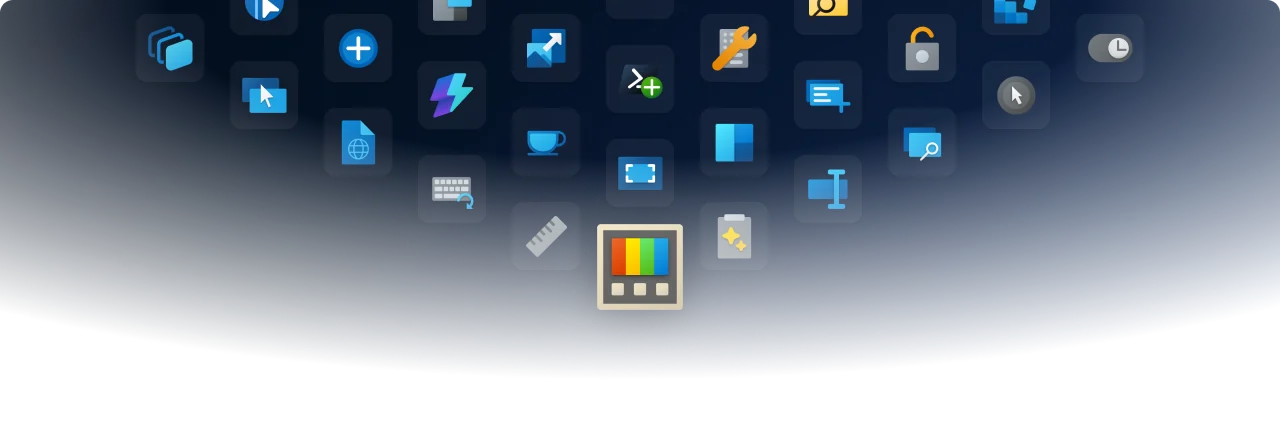
Microsoft PowerToys
Microsoft PowerToys is a collection of utilities that help you customize Windows and streamline everyday tasks.
Installation · Documentation · Blog · Release notes
🔨 Utilities
PowerToys includes over 30 utilities to help you customize and optimize your Windows experience:
 Advanced Paste
 Always on Top
 Awake
 Color Picker
 Command Not Found
 Command Palette
 Crop And Lock
 Environment Variables
 FancyZones
 File Explorer Add-ons
 File Locksmith
 Grab And Move
 Hosts File Editor
 Image Resizer
 Keyboard Manager
 Light Switch
 Mouse Utilities
 Mouse Without Borders
 New+
 Peek
 PowerDisplay
 PowerRename
 PowerToys Run
 Quick Accent
 Registry Preview
 Screen Ruler
 Shortcut Guide
 Text Extractor
 Window Hopper
 Workspaces
 ZoomIt
📦 Installation
For detailed installation instructions and system requirements, visit the installation docs.
But to get started quickly, choose one of the installation methods below:
Download the .exe file from GitHub
Go to the [PowerToys GitHub releases](https://aka.ms/installPowerToys), scroll down and select **Assets** to reveal the installation files, and choose the one that matches your architecture and install scope. For most devices, that would be _x64 per-user_.
Microsoft Store
You can easily install PowerToys from the Microsoft Store:
WinGet
Download PowerToys from [WinGet](https://github.com/microsoft/winget-cli#installing-the-client). Updating PowerToys via winget will respect the current PowerToys installation scope. To install PowerToys, run the following command from the command line / PowerShell: - User scope installer (default)
winget install Microsoft.PowerToys -s winget
winget install --scope machine Microsoft.PowerToys -s winget
Other methods
There are [community driven install methods](https://learn.microsoft.com/windows/powertoys/install#community-driven-install-tools) such as Chocolatey and Scoop. If these are your preferred install solutions, you can find the install instructions there.
✨ What's new?
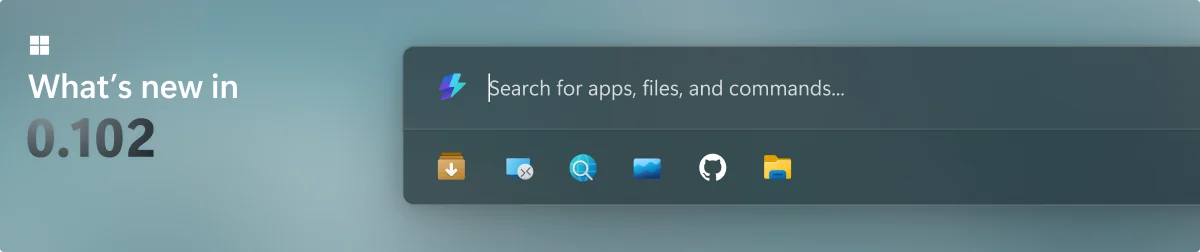
To see what's new, check out the release notes.
🛣️ Roadmap
For v0.103, we're working on a new Awake flyout, improving Screen Ruler, and continuing to modernize more utilities with WinUI 3.
❤️ PowerToys Community
The PowerToys team is extremely grateful to have the support of an amazing active community. The work you do is incredibly important. PowerToys wouldn't be nearly what it is today without your help filing bugs, updating documentation, guiding the design, or writing features. We want to say thank you and take time to recognize your work. Your contributions and feedback improve PowerToys month after month!
Contributing
This project welcomes contributions of all types. Besides coding features / bug fixes, other ways to assist include spec writing, design, documentation, and finding bugs. We are excited to work with the power user community to build a set of tools for helping you get the most out of Windows. We ask that before you start work on a feature that you would like to contribute, please read our Contributor's Guide. We would be happy to work with you to figure out the best approach, provide guidance and mentorship throughout feature development, and help avoid any wasted or duplicate effort. Most contributions require you to agree to a Contributor License Agreement (CLA) declaring that you grant us the rights to use your contribution and that you have permission to do so. For guidance on developing for PowerToys, please read the developer docs for a detailed breakdown. This includes how to setup your computer to compile.
Code of conduct
This project has adopted the Microsoft Open Source Code of Conduct.
Privacy statement
The application logs basic diagnostic data (telemetry). For more privacy information and what we collect, see our PowerToys Data and Privacy documentation.
Version history
30 versionsv0.103.3151 Pre-release 2026.11.13 7 files
v0.103.3131 Pre-release 2026.11.10 7 files
v0.103.3099 Pre-release 2026.11.09 7 files
v0.102.3101 2026.11.06 7 files
v0.102.3001 2026.10.27 7 files
v0.102.2933.0 2026.10.21 7 files
v0.101.2362.0 2026.08.25 7 files
v0.100.2 2026.06.26 7 files
v0.100.1 2026.06.24 7 files
v0.100.0 2026.06.10 7 files
v0.99.1 2026.04.29 7 files
Related projects
More projects in the same category
K
 30k
keepassxc
keepassxreboot/keepassxc
KeePassXC is a cross-platform community-driven port of the Windows application “KeePass Password Safe”.
2.8.0
C++
25 days ago
#cross-platform #hacktoberfest
C
 2.2k
chrome_plus
Bush2021/chrome_plus
A DLL hijack implements Chrome full portability as well as tab enhancements.
1.20.0
C++
6 days ago