
Anime danmaku player that matches danmaku automatically. Plays local files, direct links, and Jellyfin / Emby / WebDAV. For macOS, Windows, Linux and the web.
- v1.1.8
- published
- 22 hours ago
- 67
- Stars
- 4,097
- downloads
- synced
- 54 min ago
Latest release
v1.1.8 Nov 15, 2026 18:24
Slow download? Switch mirrors above.
How to verify SHA256
Marchen-1.1.8-windows-x64-setup.exe
Marchen-1.1.8-macos-arm64.zip
Marchen-1.1.8-macos-arm64.dmg
appcast-macos-arm64.xml
Download or install issues?
- Downloads are slow or interrupted
- Switch mirrors in the download panel (ghfast / gh-proxy / moeyy). The file is unchanged; only the route differs.
- Windows warns about an unknown publisher
- Most open-source projects don't buy code-signing certificates. Verify the SHA256 and source, then choose More info → Run anyway.
- macOS says the app is damaged
- Run xattr -cr /Applications/YourApp.app to remove the quarantine flag. Only do this for sources you trust.
- Which architecture should I pick?
- Apple Silicon: arm64; Intel Mac: x64. Windows: usually x64, arm64 for ARM devices. Linux: AppImage is the easiest.
- How do I know the file wasn't tampered with?
- Compute SHA256 locally and compare it with the checksum in the download panel. If it differs, don't run it.
README

Marchen
English | 简体中文
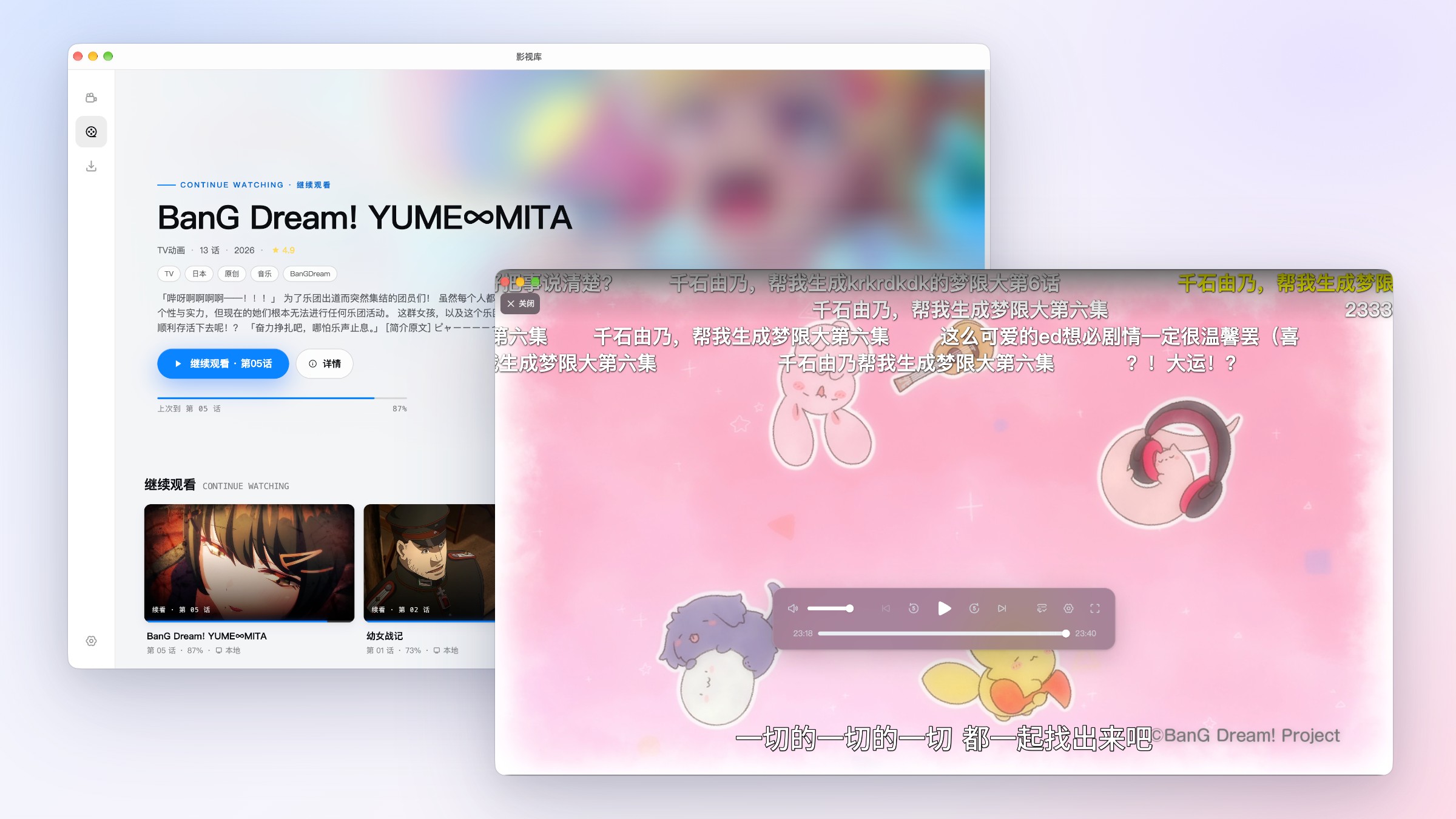
An anime danmaku (bullet comment) player that matches danmaku automatically.
Plays local files, direct links and Jellyfin / Emby / WebDAV, on desktop or in your browser.
✨ Features
Danmaku
- Identifies the anime and episode automatically and loads matching danmaku
- Import local danmaku files or third-party links; convert Traditional Chinese to Simplified
- Translates Chinese danmaku into English on your device, and works offline
- In-house danmaku engine that stays smooth under dense danmaku
Playback
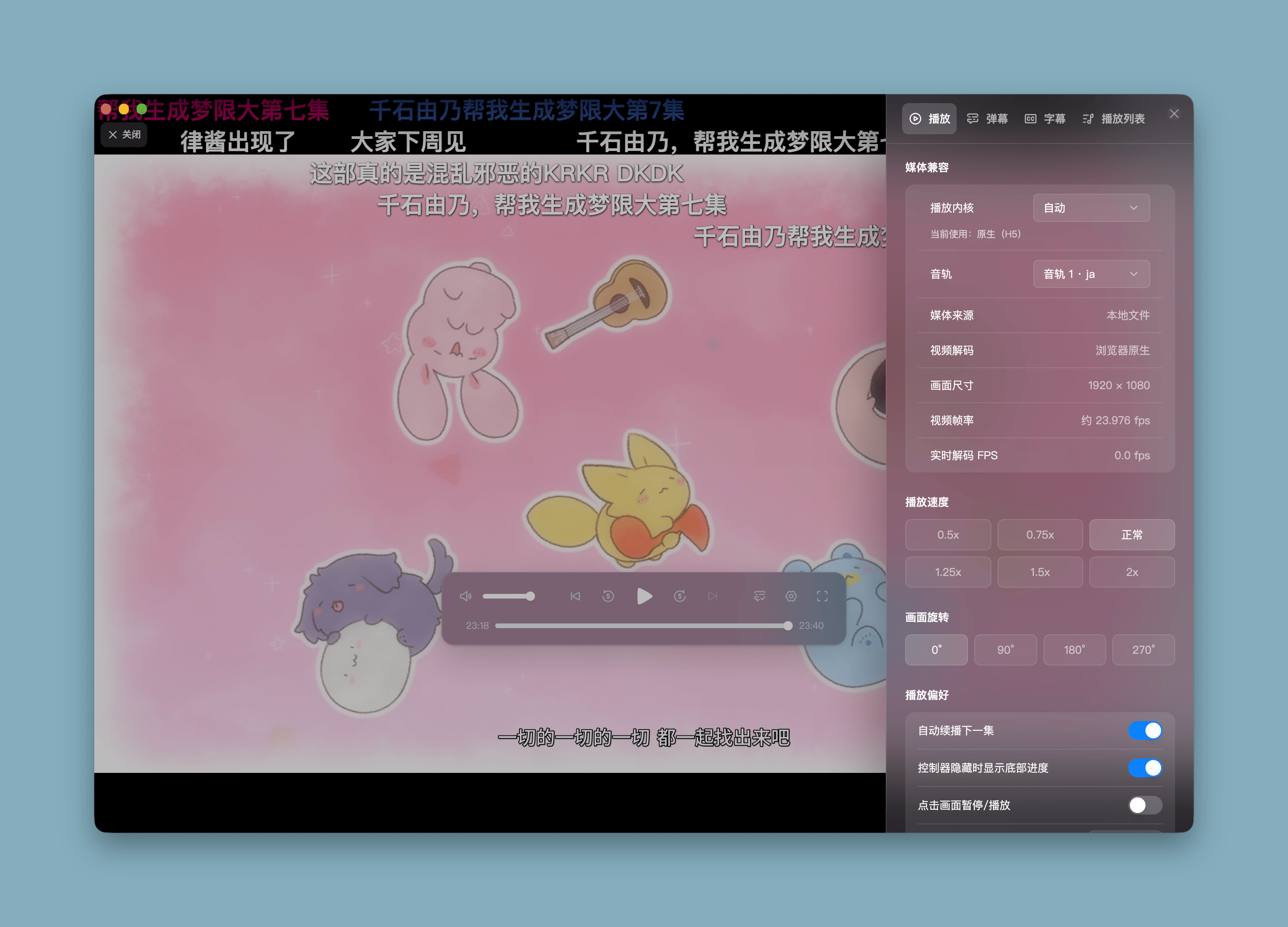
- Plays local videos and HTTP/HTTPS direct links in common formats such as MP4 and MKV
- Dual playback engines: when the native engine can't play a file, it switches to a compatibility engine built on WebCodecs + WebAssembly, decoding in a Worker so the UI stays responsive
- Falls back to multi-threaded software decoding when HEVC hardware decoding is unavailable; AC-3 / E-AC-3 / DTS audio is decoded via WebAssembly
- Embedded subtitles and external ASS / SSA / SRT / VTT
Media Sources
- Connect to Jellyfin, Emby and WebDAV, then browse and play without server-side transcoding
- Autoplay next episode, load subtitles and remember watch progress
Library & Downloads
- The library remembers your progress so you can pick up where you left off
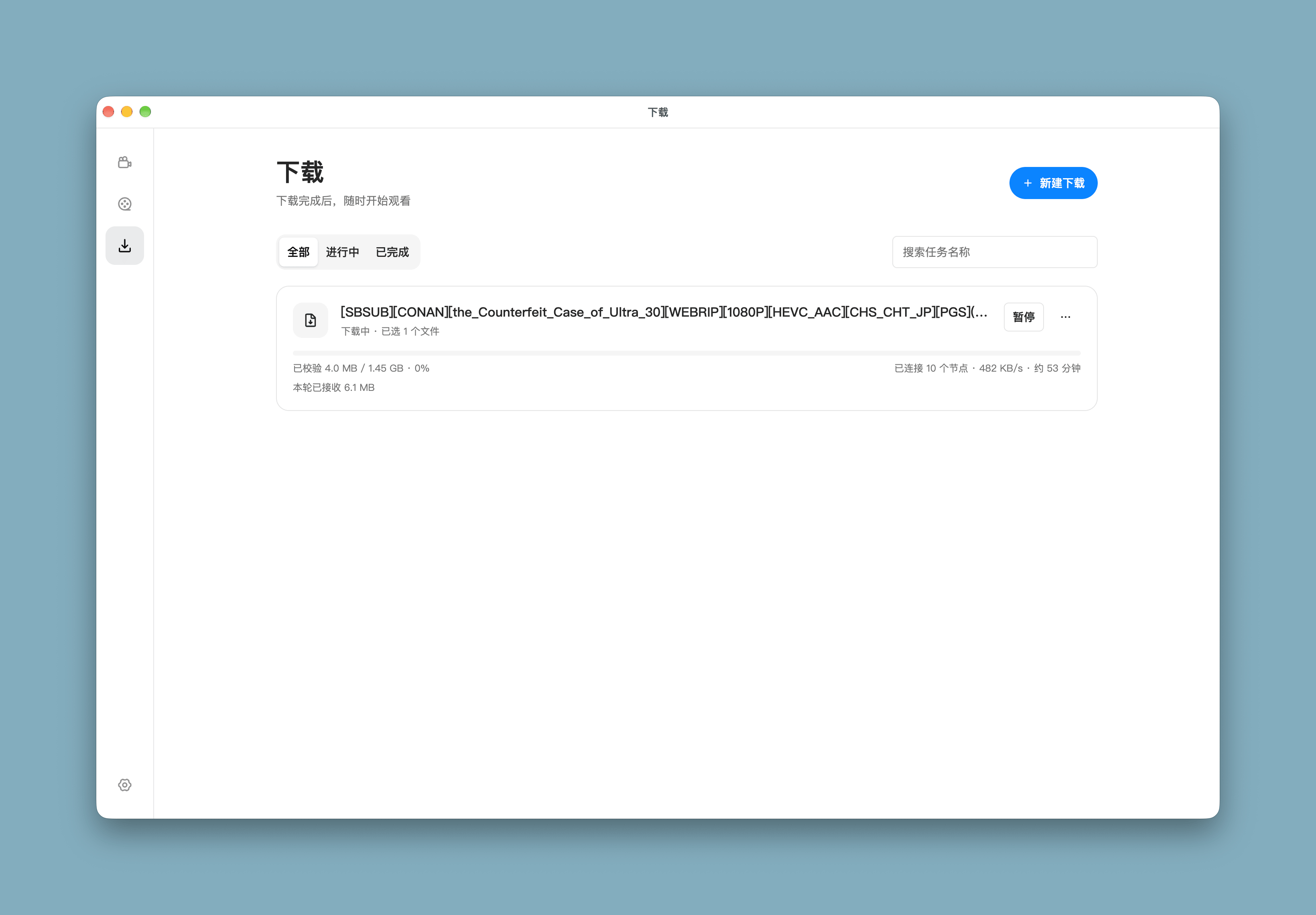
- Download via magnet, BT or HTTP and play as soon as it finishes
Others
- Interface in English and Simplified Chinese, following your system language by default
- Dark mode, in-app updates and feedback
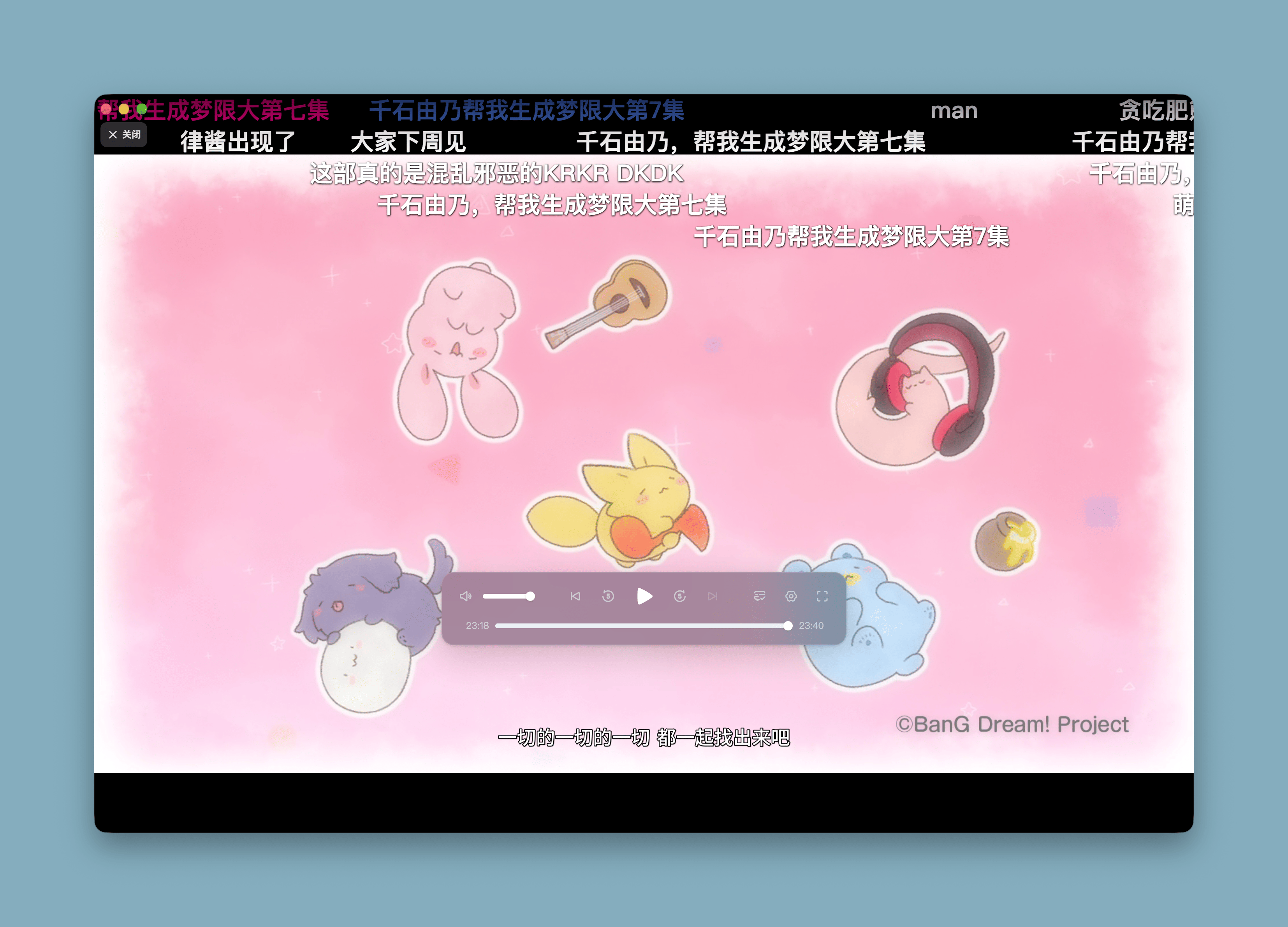
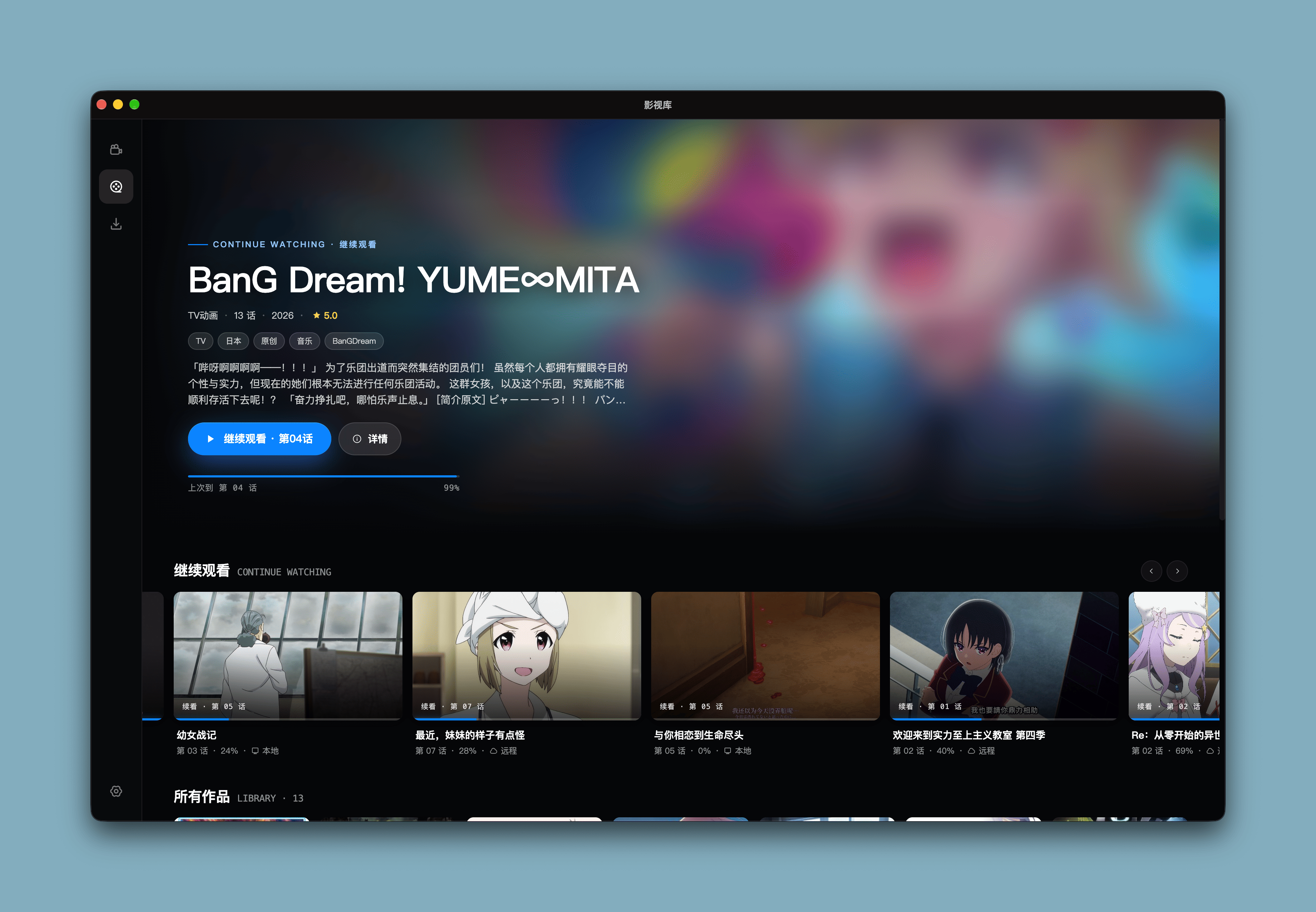
👀 Screenshots
📦 Download
Pick the installer for your system from Releases:
| System | Installer |
|---|---|
| macOS 13+ (Apple Silicon) | .dmg |
| Windows x64 | setup.exe |
| Linux x64 | amd64.deb (Ubuntu / Debian) or x86_64.AppImage |
| Linux arm64 | arm64.deb or arm64.AppImage |
macOS: "Marchen is damaged and can't be opened"
After moving the app to Applications, run in Terminal:
xattr -dr com.apple.quarantine /Applications/Marchen.app
🔧 Development
corepack enable

git clone https://github.com/marchen-dev/marchen-player.git

cd marchen-player

pnpm install

cp .env.example .env

pnpm dev          # Desktop app development

pnpm dev:web      # Web development, port 1106
📎 Tech Stack
- Electron
- React
- TypeScript
- Tailwind CSS
- Jotai
- shadcn/ui
- TanStack Query
- Framer motion
- HTML5 Video / WebCodecs
- RxJS
❤️ Acknowledgements & License

Version history
30 versionsv1.1.8 2026.11.15 16 files
v1.1.7 2026.11.12 16 files
v1.1.6 2026.11.09 16 files
v1.1.5 2026.11.09 16 files
v1.1.4 2026.11.07 16 files
v1.1.3 2026.11.02 16 files
v1.1.2 2026.11.01 16 files
v1.1.1 2026.10.31 16 files
v1.1.0 2026.10.25 16 files
v1.0.7 2026.10.17 16 files
v1.0.6 2026.10.11 10 files
v1.0.5 2026.10.10 10 files
Related projects
More projects in the same category
Y
 208.3k
yt-dlp
yt-dlp/yt-dlp
A feature-rich command-line audio/video downloader
2026.10.26
Python
20 days ago
#cli #downloader
S
 30.7k
Seal
JunkFood02/Seal
🦭 Video/Audio Downloader for Android, based on yt-dlp
v1.13.1
Kotlin
2 years ago
#android #f-droid
K
 28.9k
koodo-reader
koodo-reader/koodo-reader
A modern ebook manager and reader with sync and backup capacities for Windows, macOS, Linux, Android, iOS and Web
v2.4.7
JavaScript
8 days ago
#book #cb7