
基于 Electron 的本地视频弹幕播放器,通过弹弹play API 自动匹配动漫弹幕,支持 Web、macOS 与 Windows。
- v1.1.8
- 发布于
- 21 小时前
- 67
- 星标
- 3,737
- 下载
- 同步于
- 35 分钟前
最新版本
v1.1.8 2026年11月15日 18:24
下载慢?可在上方随时切换镜像源
如何校验 SHA256
Marchen-1.1.8-windows-x64-setup.exe
下载或用起来遇到问题?
- 下载速度慢或中断
- 在下载区右上角切换镜像源(ghfast / gh-proxy / moeyy),源文件不变,只是换条线路。
- Windows 提示“未知发布者”
- 多数开源项目没有购买代码签名证书,SmartScreen 会拦一下。核对 SHA256 与仓库来源后,点“更多信息 → 仍要运行”。
- macOS 提示“已损坏,无法打开”
- 在终端执行
xattr -cr /Applications/应用名.app去掉隔离属性;仅对可信来源这么做。 - 安装包架构怎么选
- Apple 芯片选 arm64,Intel Mac 选 x64;Windows 绝大多数选 x64,ARM 设备选 arm64;Linux 优先 AppImage。
- 怎么确认文件没被篡改
- 下载后本地计算 SHA256,与安装包右侧的校验值逐位比对,不一致就不要运行。
项目说明

Marchen
English | 简体中文
An anime danmaku (bullet comment) player that matches danmaku automatically.
Plays local files, direct links and Jellyfin / Emby / WebDAV, on desktop or in your browser.
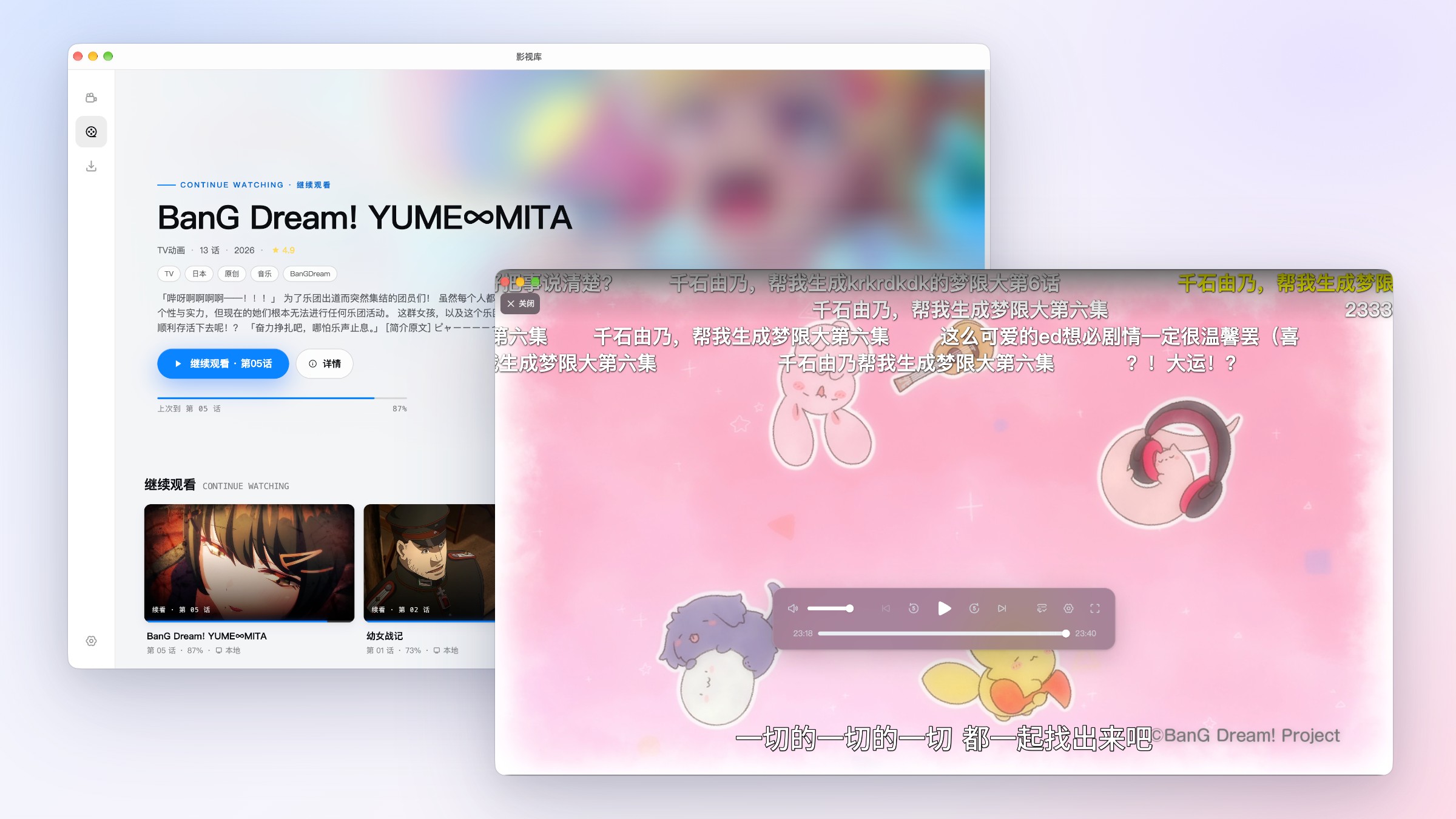
✨ Features
Danmaku
- Identifies the anime and episode automatically and loads matching danmaku
- Import local danmaku files or third-party links; convert Traditional Chinese to Simplified
- Translates Chinese danmaku into English on your device, and works offline
- In-house danmaku engine that stays smooth under dense danmaku
Playback
- Plays local videos and HTTP/HTTPS direct links in common formats such as MP4 and MKV
- Dual playback engines: when the native engine can't play a file, it switches to a compatibility engine built on WebCodecs + WebAssembly, decoding in a Worker so the UI stays responsive
- Falls back to multi-threaded software decoding when HEVC hardware decoding is unavailable; AC-3 / E-AC-3 / DTS audio is decoded via WebAssembly
- Embedded subtitles and external ASS / SSA / SRT / VTT
Media Sources
- Connect to Jellyfin, Emby and WebDAV, then browse and play without server-side transcoding
- Autoplay next episode, load subtitles and remember watch progress
Library & Downloads
- The library remembers your progress so you can pick up where you left off
- Download via magnet, BT or HTTP and play as soon as it finishes
Others
- Interface in English and Simplified Chinese, following your system language by default
- Dark mode, in-app updates and feedback
👀 Screenshots
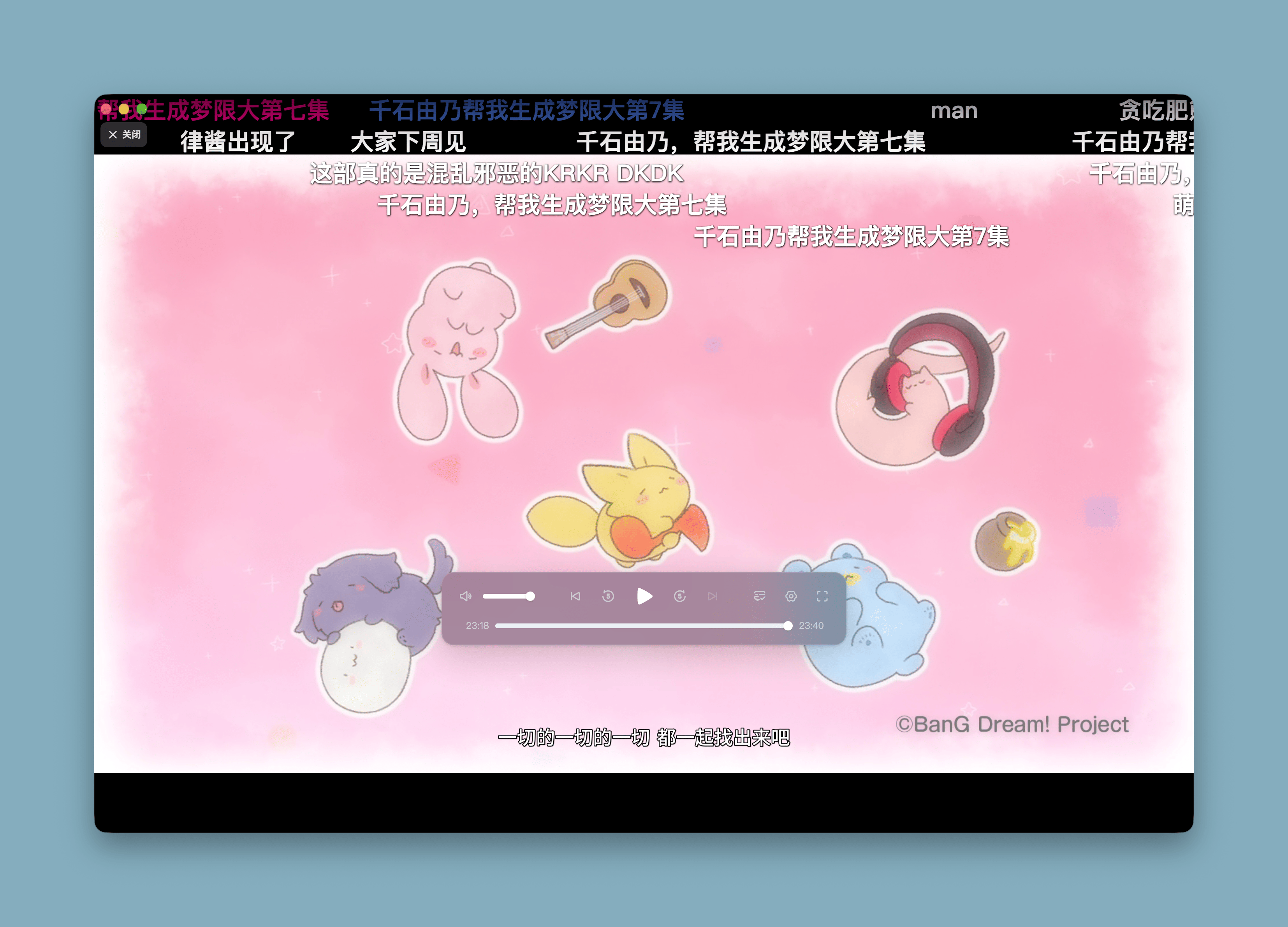
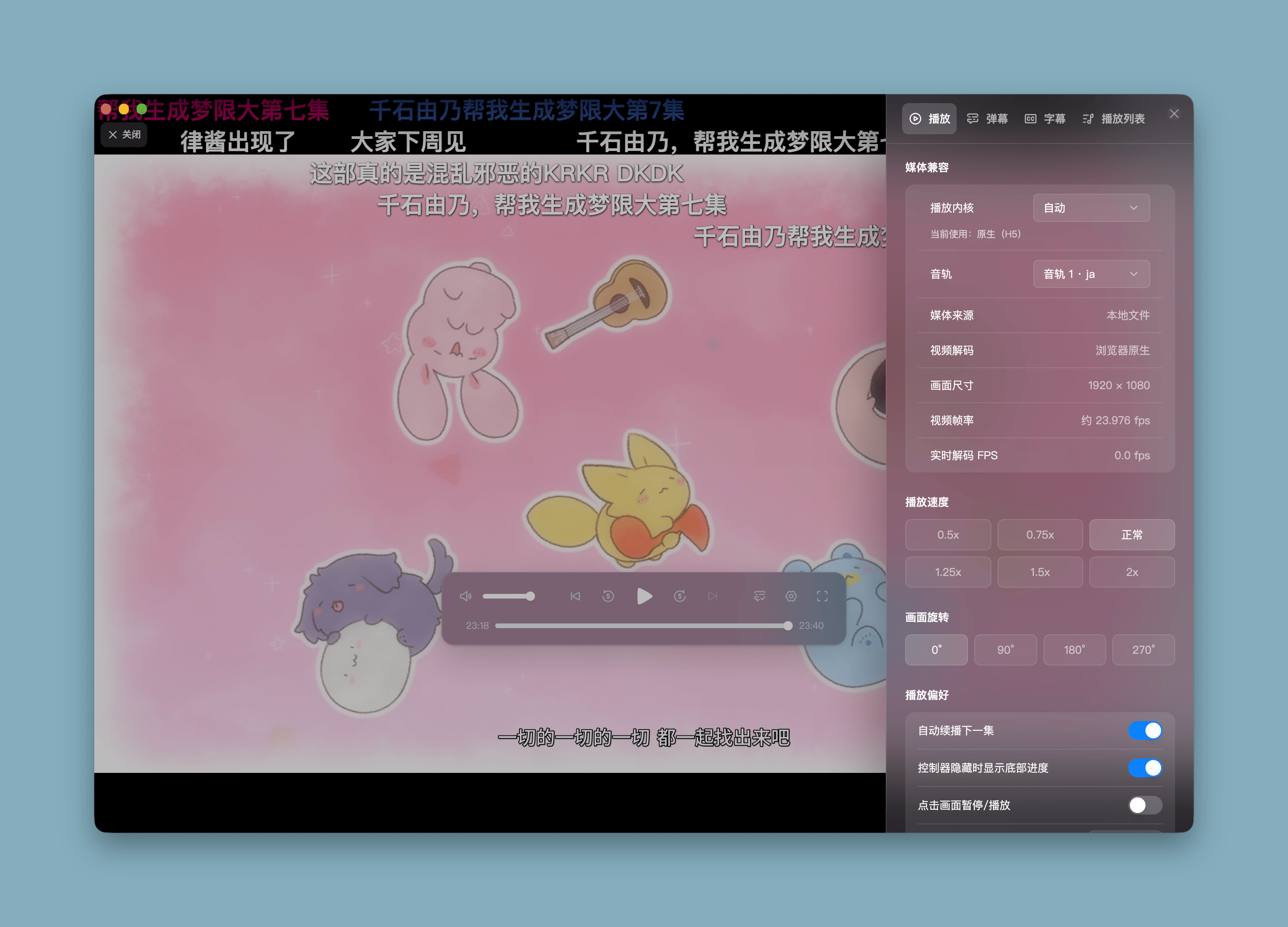
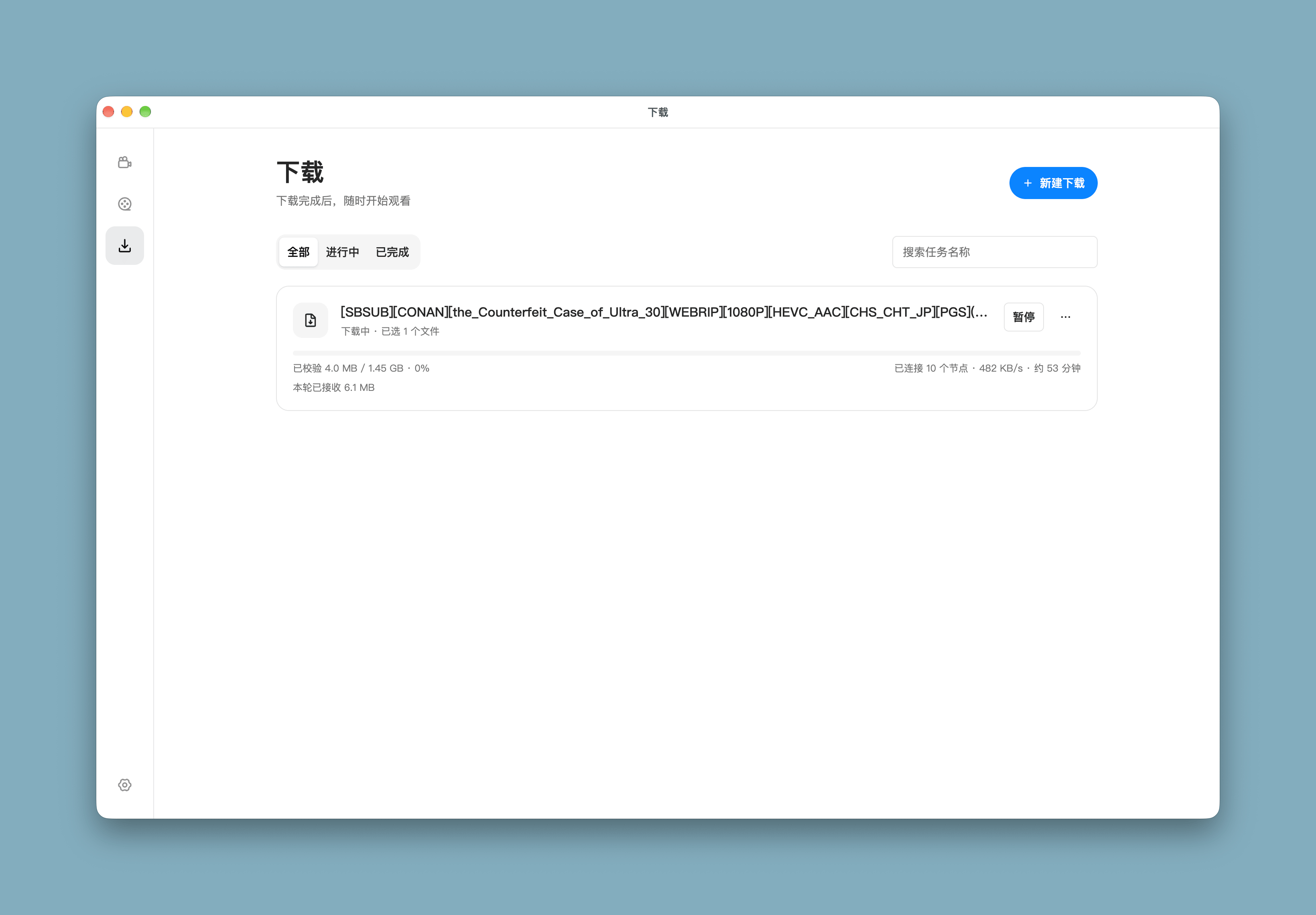
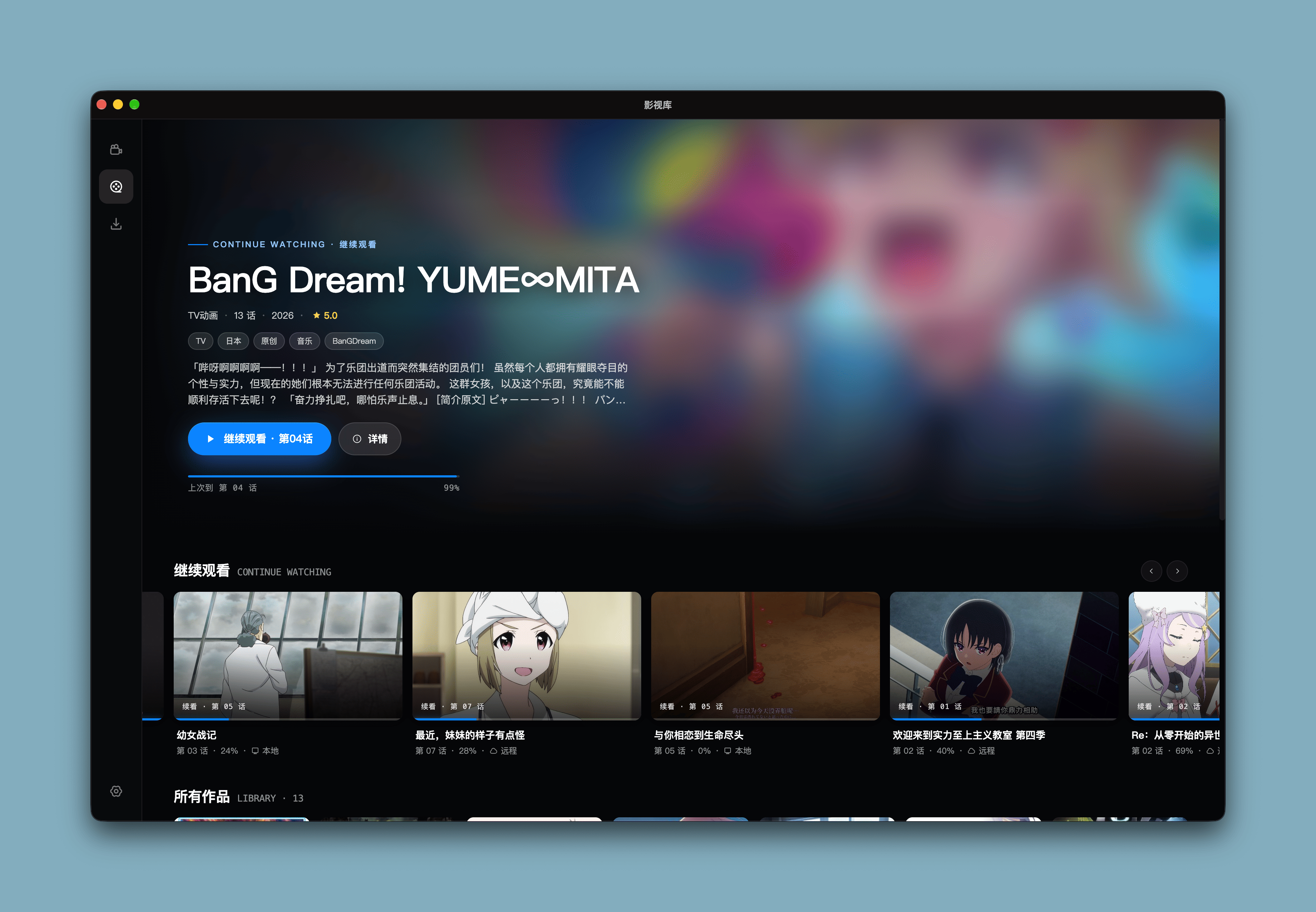
📦 Download
Pick the installer for your system from Releases:
| System | Installer |
|---|---|
| macOS 13+ (Apple Silicon) | .dmg |
| Windows x64 | setup.exe |
| Linux x64 | amd64.deb (Ubuntu / Debian) or x86_64.AppImage |
| Linux arm64 | arm64.deb or arm64.AppImage |
macOS: "Marchen is damaged and can't be opened"
After moving the app to Applications, run in Terminal:
xattr -dr com.apple.quarantine /Applications/Marchen.app
🔧 Development
corepack enable

git clone https://github.com/marchen-dev/marchen-player.git

cd marchen-player

pnpm install

cp .env.example .env

pnpm dev          # Desktop app development

pnpm dev:web      # Web development, port 1106
📎 Tech Stack
- Electron
- React
- TypeScript
- Tailwind CSS
- Jotai
- shadcn/ui
- TanStack Query
- Framer motion
- HTML5 Video / WebCodecs
- RxJS
❤️ Acknowledgements & License

历史版本
共 30 个版本v1.1.8 2026.11.15 16 个文件
v1.1.7 2026.11.12 16 个文件
v1.1.6 2026.11.09 16 个文件
v1.1.5 2026.11.09 16 个文件
v1.1.4 2026.11.07 16 个文件
v1.1.3 2026.11.02 16 个文件
v1.1.2 2026.11.01 16 个文件
v1.1.1 2026.10.31 16 个文件
v1.1.0 2026.10.25 16 个文件
v1.0.7 2026.10.17 16 个文件
v1.0.6 2026.10.11 10 个文件
v1.0.5 2026.10.10 10 个文件
相关项目
同类目下值得一试的开源软件
Y
 208.3k
yt-dlp
yt-dlp/yt-dlp
功能丰富的命令行音视频下载工具,支持数千个网站,是 youtube-dl 的活跃分支。
2026.10.26
Python
20 天前
#cli #downloader
S
 30.7k
Seal
JunkFood02/Seal
Android 平台视频与音频下载器,基于 yt-dlp,支持封面、元数据与批量下载。
v1.13.1
Kotlin
2 年前
#android #f-droid
K
 28.9k
koodo-reader
koodo-reader/koodo-reader
跨平台电子书阅读器,支持 EPUB、PDF、MOBI 等格式与多端同步。
v2.4.7
JavaScript
8 天前
#book #cb7