
The open source coding agent.
- v2.3.0
- published
- 3 days ago
- 227,236
- Stars
- 37,063,933
- downloads
- synced
- 55 min ago
Latest release
v2.3.0 Nov 13, 2026 08:55
Slow download? Switch mirrors above.
How to verify SHA256
opencode-desktop-win-x64.exe
opencode-desktop-win-arm64.exe
opencode-windows-x64.zip
opencode-windows-x64-baseline.zip
opencode-windows-arm64.zip
opencode-desktop-mac-x64.dmg
opencode-desktop-mac-arm64.dmg
opencode-desktop-mac-x64.zip
opencode-desktop-mac-x64.app.tar.gz
opencode-desktop-mac-arm64.zip
opencode-desktop-mac-arm64.app.tar.gz
opencode-darwin-x64.zip
opencode-darwin-x64-baseline.zip
opencode-darwin-arm64.zip
opencode-desktop-linux-x86_64.AppImage
opencode-desktop-linux-arm64.AppImage
opencode-desktop-linux-amd64.deb
opencode-desktop-linux-arm64.deb
opencode-desktop-linux-x86_64.rpm
opencode-desktop-linux-aarch64.rpm
opencode-linux-x64-baseline.tar.gz
opencode-linux-x64.tar.gz
opencode-linux-x64-baseline-musl.tar.gz
opencode-linux-x64-musl.tar.gz
opencode-linux-arm64.tar.gz
opencode-linux-arm64-musl.tar.gz
Download or install issues?
- Downloads are slow or interrupted
- Switch mirrors in the download panel (ghfast / gh-proxy / moeyy). The file is unchanged; only the route differs.
- Windows warns about an unknown publisher
- Most open-source projects don't buy code-signing certificates. Verify the SHA256 and source, then choose More info → Run anyway.
- macOS says the app is damaged
- Run xattr -cr /Applications/YourApp.app to remove the quarantine flag. Only do this for sources you trust.
- Which architecture should I pick?
- Apple Silicon: arm64; Intel Mac: x64. Windows: usually x64, arm64 for ARM devices. Linux: AppImage is the easiest.
- How do I know the file wasn't tampered with?
- Compute SHA256 locally and compare it with the checksum in the download panel. If it differs, don't run it.
README

The open source AI coding agent.
English | 简体中文 | 繁體中文 | 한국어 | Deutsch | Español | Français | Italiano | Dansk | 日本語 | Polski | Русский | Bosanski | العربية | Norsk | Português (Brasil) | ไทย | Türkçe | Українська | বাংলা | Ελληνικά | Tiếng Việt
Installation
# YOLO
curl -fsSL https://opencode.ai/v2/install | bash

# Package managers
npm i -g @opencode/cli@latest      # or bun/pnpm/yarn
brew install anomalyco/tap/opencode-v2 # macOS and Linux (recommended, always up to date)
brew install opencode              # macOS and Linux (official brew formula, updated less)
sudo pacman -S opencode            # Arch Linux (Stable)
paru -S opencode-beta              # Arch Linux (Latest from AUR)
mise use -g opencode               # Any OS
nix run github:anomalyco/opencode  # Nix
[!TIP]
Remove versions older than 0.1.x before installing.
Desktop App (BETA)
OpenCode is also available as a desktop application. Download it from opencode.ai/download.
| Platform | Download |
|---|---|
| macOS (Apple Silicon) | opencode-desktop-mac-arm64.dmg |
| macOS (Intel) | opencode-desktop-mac-x64.dmg |
| Windows | opencode-desktop-win-x64.exe |
| Linux | .deb, .rpm, or .AppImage |
# macOS (Homebrew)
brew install --cask opencode-desktop
Installation Directory
The install script installs OpenCode to $HOME/.opencode/bin.
Agents
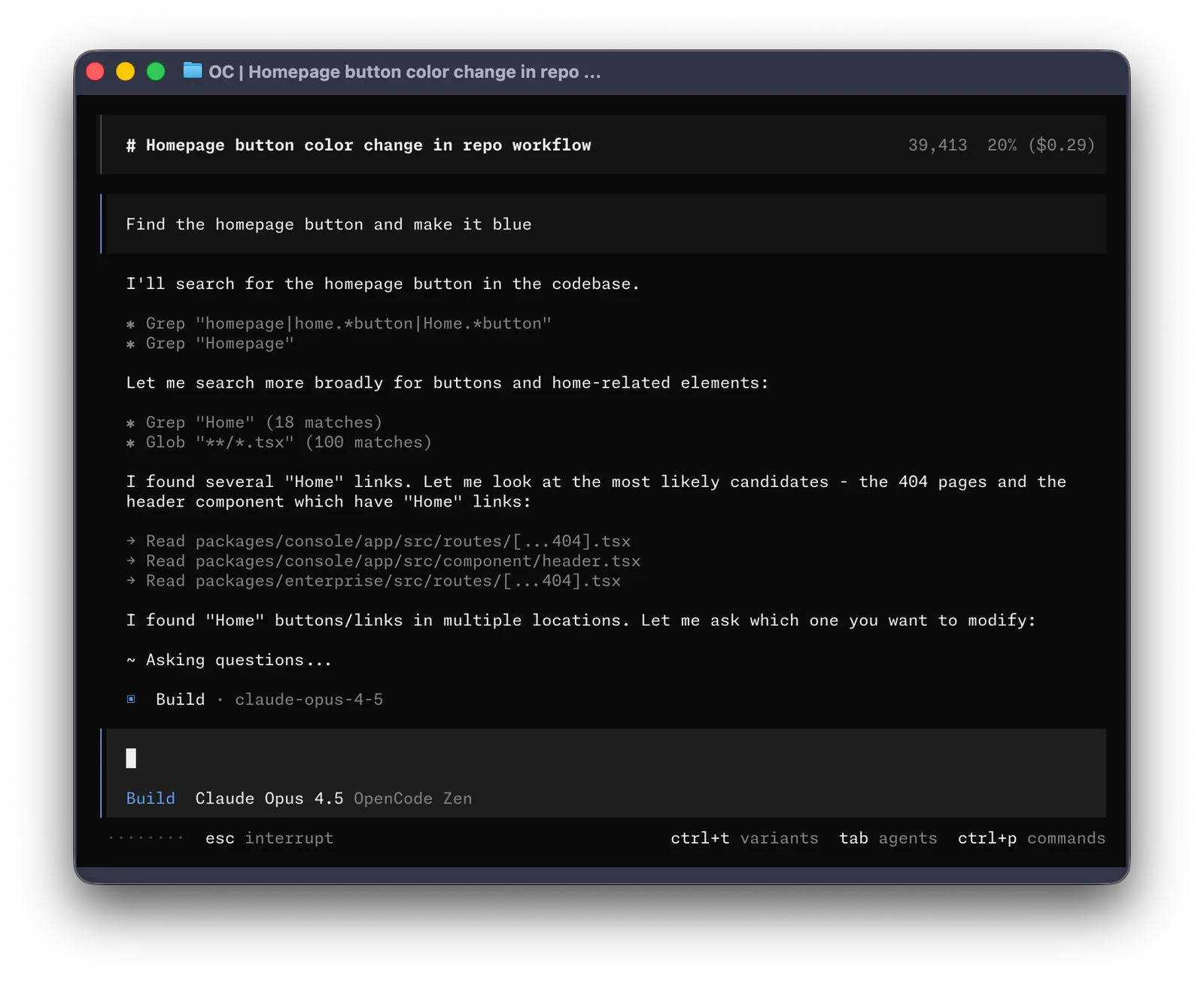
OpenCode includes two built-in agents you can switch between with the Tab key.
- build - Default, full-access agent for development work
- plan - Read-only agent for analysis and code exploration
- Denies file edits by default
- Asks permission before running bash commands
- Ideal for exploring unfamiliar codebases or planning changes
Also included is a general subagent for complex searches and multistep tasks.
This is used internally and can be invoked using @general in messages.
Learn more about agents.
Documentation
For more info on how to configure OpenCode, head over to our docs.
Contributing
If you're interested in contributing to OpenCode, please read our contributing docs before submitting a pull request.
Building on OpenCode
If you are working on a project that's related to OpenCode and is using "opencode" as part of its name, for example "opencode-dashboard" or "opencode-mobile", please add a note to your README to clarify that it is not built by the OpenCode team and is not affiliated with us in any way.
Version history
30 versionsv2.3.0 2026.11.13 27 files
process-daemon-v0.5.2 2026.11.11 10 files
v2.2.7 2026.11.10 27 files
v2.2.6 2026.11.06 27 files
process-daemon-v0.5.0 2026.11.05 10 files
v2.2.5 2026.10.30 27 files
v2.2.4 2026.10.30 27 files
v2.2.3 2026.10.30 27 files
process-daemon-v0.4.0 2026.10.29 10 files
v2.2.2 2026.10.29 27 files
process-daemon-v0.3.3 2026.10.29 10 files
v2.2.1 2026.10.29 27 files
Related projects
More projects in the same category
O
 394.6k
openclaw
openclaw/openclaw
The AI that really does things. Any OS. Any Platform. The lobster way. 🦞
v2026.11.4
TypeScript
12 hours ago
#ai #assistant
O
 187.2k
ollama
ollama/ollama
Get up and running with Kimi, GLM, MiniMax, DeepSeek, gpt-oss, Qwen, Gemma and other models.
v0.40.16
Go
6 days ago
#deepseek #gemma
C
 154.9k
cc-switch
farion1231/cc-switch
A cross-platform desktop All-in-One assistant for Claude Code, Codex, OpenCode,DeepSeek Harness and more. Only official website: ccswitch.io
v4.0.33
Rust
14 hours ago
#ai-tools #claude-code
L
 149.7k
langchain
langchain-ai/langchain
The agent engineering platform.
langchain-xai==1.4.0
Python
19 hours ago
#agents #ai
G
 148.8k
graphify
Graphify-Labs/graphify
Turn any codebase, with its docs, SQL schemas, configs, and PDFs, into a queryable knowledge graph. A /graphify skill for Claude Code, Cursor, Codex, and Gemini CLI: local deterministic AST parsing, every edge explained, no vector store.
v0.9.111
Python
20 hours ago
#ai-agents #antigravity
C
 147.2k
ComfyUI
Comfy-Org/ComfyUI
The most powerful and modular diffusion model GUI, api and backend with a graph/nodes interface. The fastest local inference engine in the world.
v0.45.0
Python
5 days ago
#ai #comfy